
1. What Is Hostinger?
Hostinger is a global web hosting provider that offers infrastructure for websites, applications, and cloud services. It is known for affordable hosting plans, fast servers, and a beginner‑friendly control panel called hPanel.
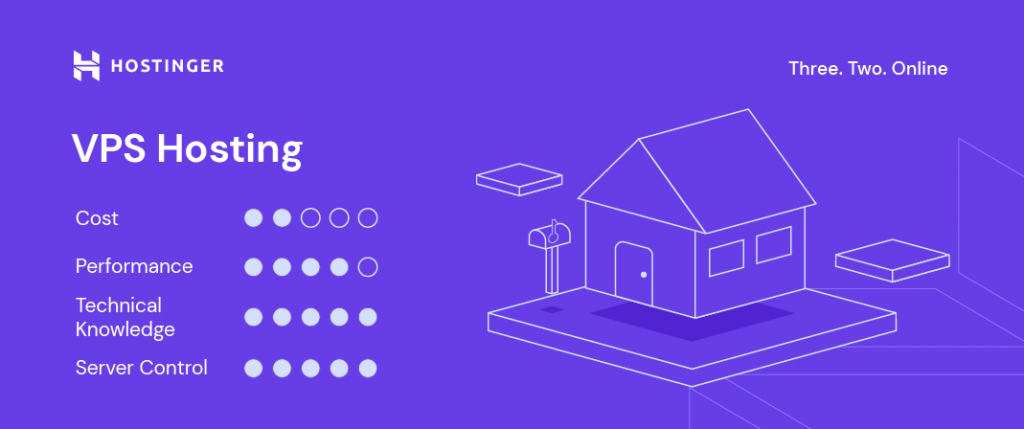
Unlike many traditional hosting providers that rely on cPanel, Hostinger built its own system called hPanel, which simplifies server management and deployment tasks.
Core Services Hostinger Provides
• Shared Hosting – Multiple websites run on the same server.
• VPS Hosting – A virtual private server with dedicated resources.
• Cloud Hosting – Scalable hosting for large websites and applications.
• WordPress Hosting – Optimized hosting for WordPress websites.
• Domain Registration – Purchase and manage domain names.
Why Developers Use Hostinger VPS
VPS (Virtual Private Server) hosting provides more control compared to shared hosting. Developers can install software, run automation systems, deploy AI tools, and host applications.
Benefits include:
• Root access
• Ability to install Docker and databases
• Run AI assistants or automation tools
• Full server configuration control
2. What Is OpenClaw?
OpenClaw (formerly Moltbot or Clawdbot) is a self‑hosted AI assistant platform. It allows users to connect AI models with messaging platforms such as WhatsApp, Telegram, Slack, and Discord.
Instead of relying on external chatbot services, OpenClaw runs on your own server, which provides more privacy, customization, and control.
Key Features of OpenClaw
• Multi‑channel messaging integrations
• AI model integrations
• WhatsApp automation
• Self‑hosted infrastructure
• Persistent AI assistants
• API integrations
3. Why Install OpenClaw on Hostinger VPS?
Running OpenClaw on a VPS gives you more flexibility and privacy.
Advantages include:
• Full infrastructure control
• Data privacy
• Lower long‑term costs
• Ability to build AI automation systems
• Integration with multiple messaging platforms
4. Requirements Before Installing OpenClaw
Before installation you should have:
• A Hostinger VPS account
• Access to Hostinger hPanel
• Basic understanding of server deployment
• Optional AI API keys such as OpenAI, Anthropic, or Gemini.
5. Method 1 — Deploy OpenClaw from Hostinger Marketplace
Step 1: Go to the OpenClaw deployment page on Hostinger.
Step 2: Select a VPS hosting plan suitable for your needs.
Step 3: Click Deploy to automatically install OpenClaw.
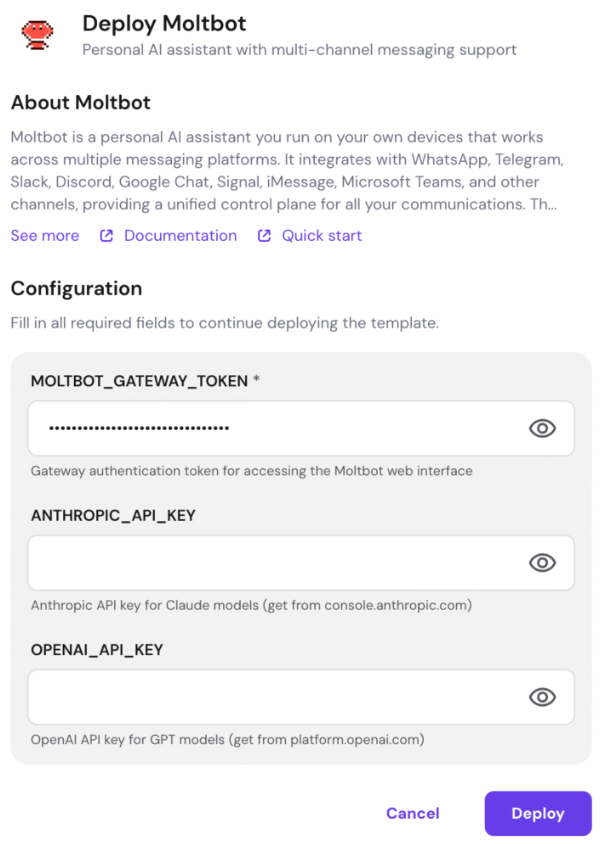
Step 4: Configure environment variables.
The most important variable is OPENCLAW_GATEWAY_TOKEN which will be auto‑generated. You must save this token because it will be required to access the OpenClaw dashboard.
Optional Environment Variables
OPENAI_API_KEY – for OpenAI models
ANTHROPIC_API_KEY – for Claude models
GEMINI_API_KEY – for Google Gemini
XAI_API_KEY – for xAI models
WHATSAPP_NUMBER – optional WhatsApp number
6. Method 2 — Install OpenClaw on an Existing Hostinger VPS
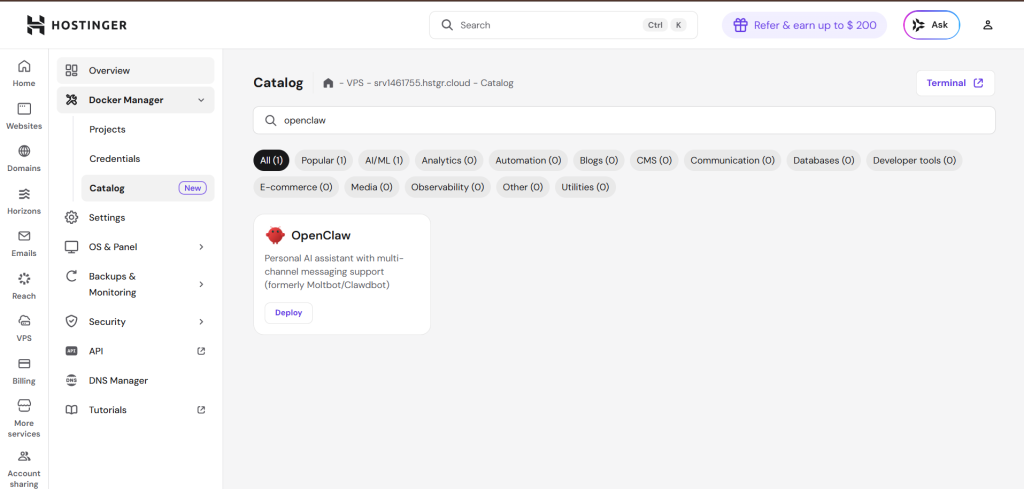
Step 1: Log in to Hostinger hPanel.
Step 2: Navigate to VPS → Docker Manager.
Step 3: Install Docker Manager if it is not already installed.
Step 4: Open the Docker Catalog and search for OpenClaw.
Step 5: Click Deploy and configure environment variables.
7. Accessing the OpenClaw Dashboard
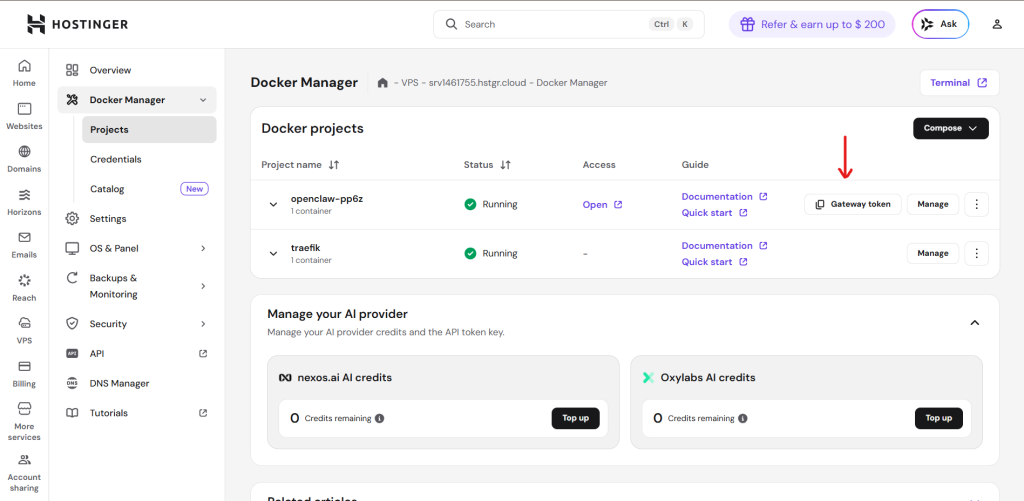
After deployment, go to Docker Manager → Projects.
Open your OpenClaw project and copy the gateway token then click open.
8. Login to OpenClaw
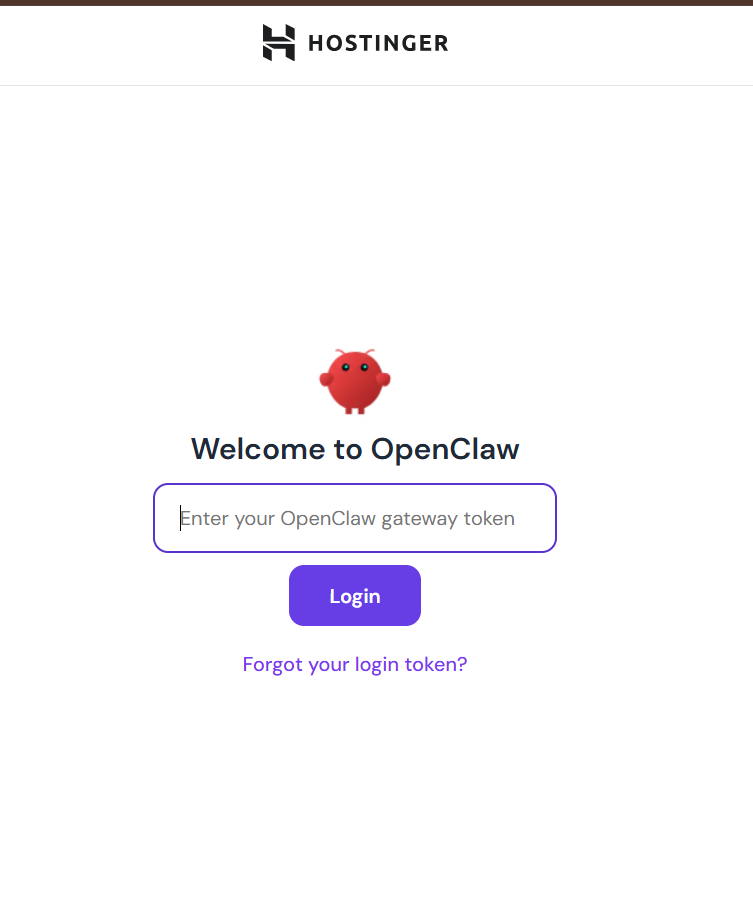
Enter the OPENCLAW_GATEWAY_TOKEN that was generated during installation and click Login.
9. Connect WhatsApp
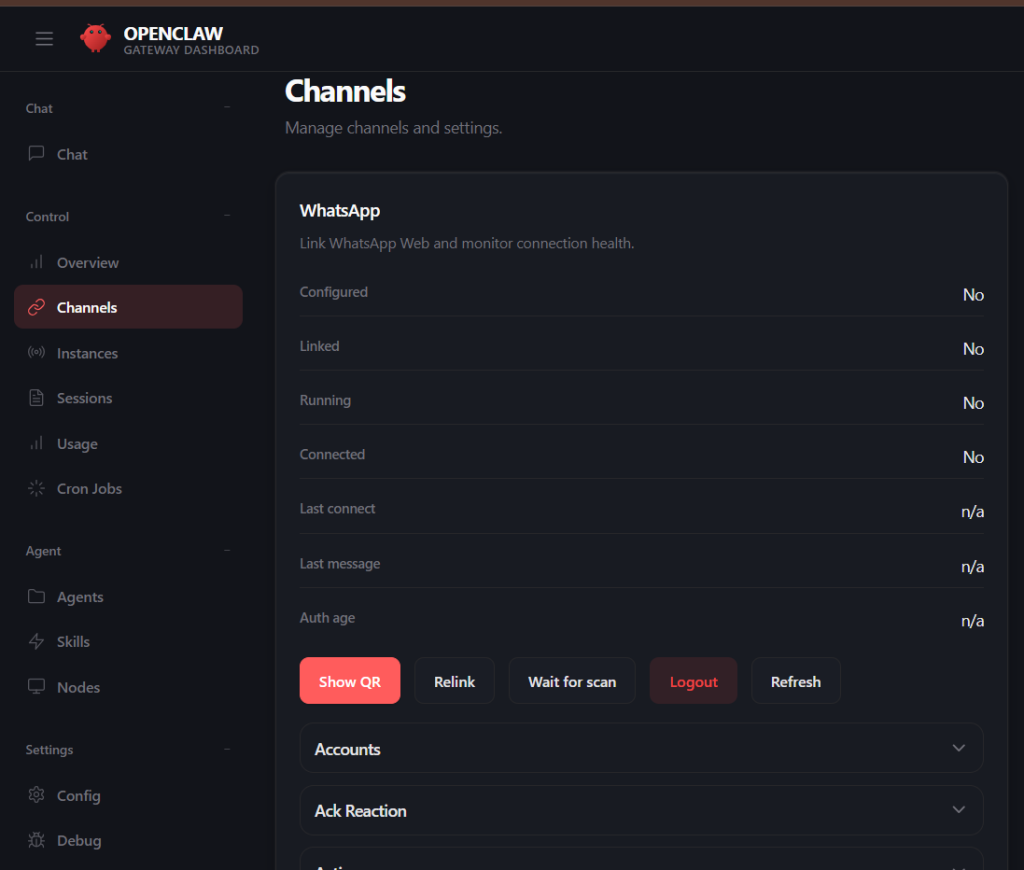
Go to Channels → Show QR.
Open WhatsApp on your phone.
Navigate to Settings → Linked Devices → Link a Device.
Scan the QR code displayed in the OpenClaw dashboard.
10. Managing OpenClaw
Viewing Logs:
Go to Docker Manager → Projects → OpenClaw container to view logs.
Updating OpenClaw:
Open the OpenClaw project and click Update to pull the latest Docker image.
Conclusion
Hostinger makes deploying applications extremely simple thanks to hPanel and Docker Manager. With just a few steps, you can run a powerful AI assistant like OpenClaw on your own server. This setup enables businesses and developers to build AI‑powered messaging assistants, customer support bots, and automation systems with full control over their infrastructure.

Leave a Reply